> ## Documentation Index
> Fetch the complete documentation index at: https://docs.inceptia.ai/llms.txt
> Use this file to discover all available pages before exploring further.
# Tools
> The actions the agent can take during the conversation
## What tools are
Tools are capabilities the agent can invoke during a conversation: ending the call, transferring to a person, querying external data, validating information, etc.
The agent's **Tools** tab has two panels: general functions (always available) and the specific tools assigned to the bot.
***
## General functions
These are native platform tools you can turn on or off with a toggle for each agent:
| Function | What it does |
| --------------------------------- | ----------------------------------------------------------- |
| **End Conversation** | Lets the agent close the call. |
| **Transfer to Human Agent** | Routes the call to a human operator. |
| **Detect Voicemail** | The agent can recognize whether it reached a voicemail box. |
| **Knowledge Base** | Accesses a set of documents to answer questions. |
| **Validate Payment Promise Date** | Verifies that a date mentioned by the contact is valid. |
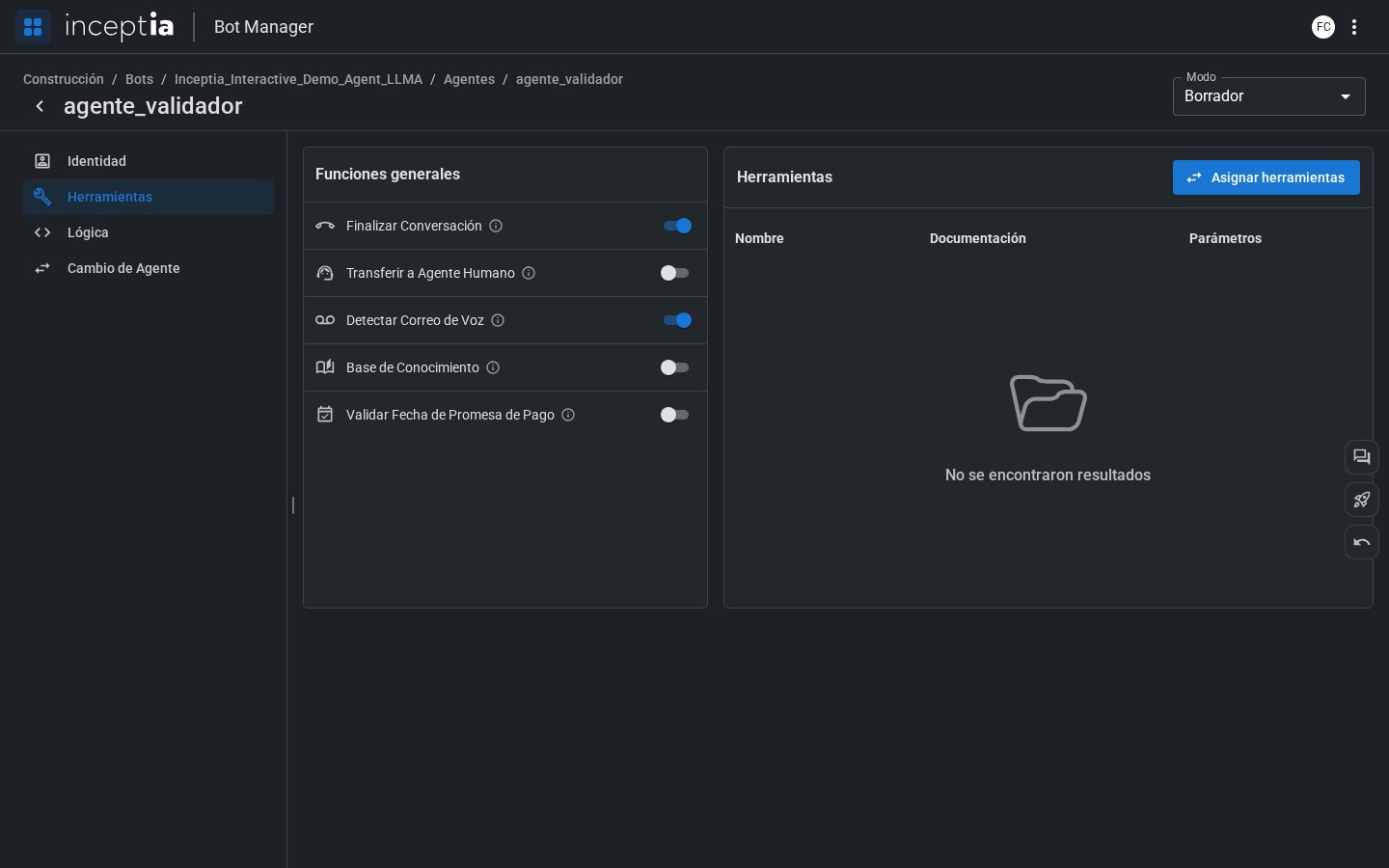 You don't need to turn on every function for every agent. Only enable the ones that make sense for that agent's role in the flow. For example, only the closing agent needs "End Conversation."
***
## Assigned tools
Besides the general functions, an agent can have custom tools — integrations with external systems, API calls, database records, etc.
These tools are shown in a table with:
* **Name** — how the agent identifies them.
* **Documentation** — a description of what it does and when to use it (the LLM reads this to decide whether to call it).
* **Parameters** — the data the tool needs to run.
You don't need to turn on every function for every agent. Only enable the ones that make sense for that agent's role in the flow. For example, only the closing agent needs "End Conversation."
***
## Assigned tools
Besides the general functions, an agent can have custom tools — integrations with external systems, API calls, database records, etc.
These tools are shown in a table with:
* **Name** — how the agent identifies them.
* **Documentation** — a description of what it does and when to use it (the LLM reads this to decide whether to call it).
* **Parameters** — the data the tool needs to run.
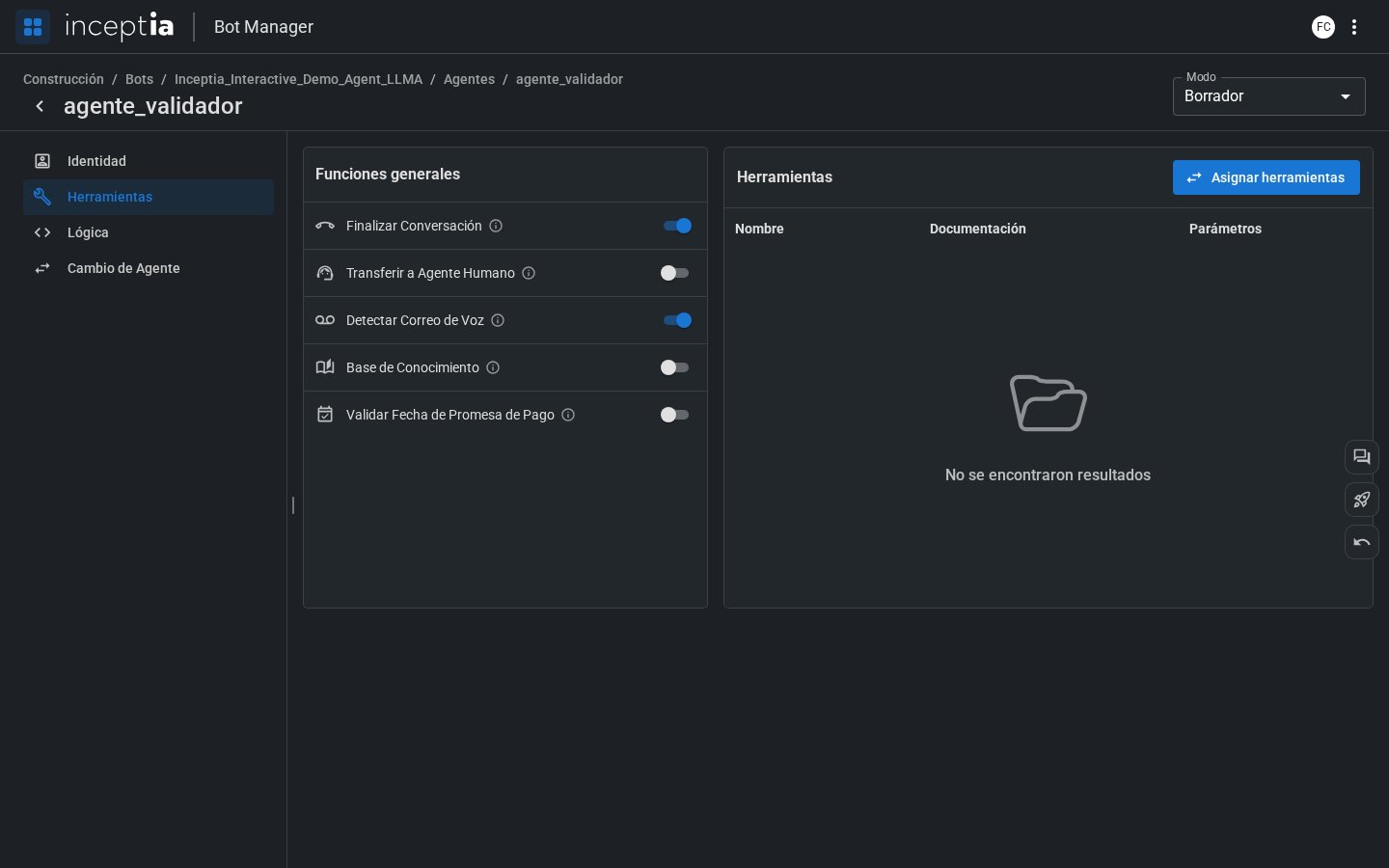 A tool's **documentation** is key. The LLM uses it to decide whether to call that tool and with what parameters. The clearer and more specific, the better — see [Document your tools well](/en/construccion/buenas-practicas/instrucciones-que-funcionan) for more detail.
To add tools to an agent, use the **Assign tools** button. Available tools are configured at the bot level in the **[Bot Tools](/en/construccion/herramientas)** section.
Want to confirm the agent calls the tool at the right moment? Test it with **[Open conversation](/en/construccion/probar-tu-bot)** before publishing your changes.
A tool's **documentation** is key. The LLM uses it to decide whether to call that tool and with what parameters. The clearer and more specific, the better — see [Document your tools well](/en/construccion/buenas-practicas/instrucciones-que-funcionan) for more detail.
To add tools to an agent, use the **Assign tools** button. Available tools are configured at the bot level in the **[Bot Tools](/en/construccion/herramientas)** section.
Want to confirm the agent calls the tool at the right moment? Test it with **[Open conversation](/en/construccion/probar-tu-bot)** before publishing your changes.