> ## Documentation Index
> Fetch the complete documentation index at: https://docs.inceptia.ai/llms.txt
> Use this file to discover all available pages before exploring further.
# Logic
> Python code that runs before the agent speaks — to prepare the context
## What Logic is for
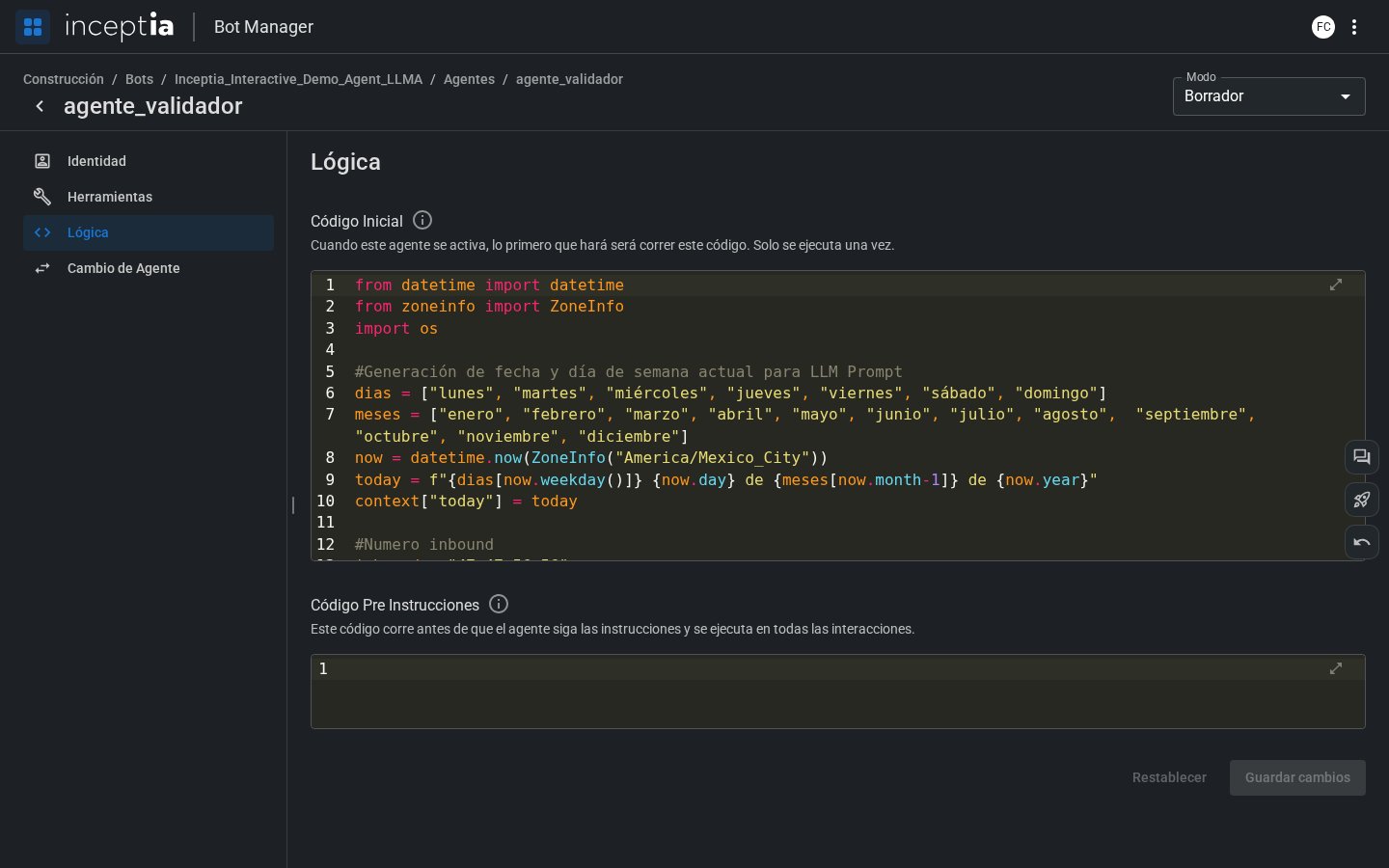
The **Logic** tab lets you write Python code that runs at key moments in the agent's cycle. From here you can calculate values and prepare variables that you'll later use in the agent's Initial Message or Instructions.
 ***
## The two code blocks
Runs **only once**, when the agent activates for the first time.
Ideal for:
* Calculating today's date and storing it in the context.
* Preparing variables derived from the campaign file.
* Initializing counters or status flags.
```python theme={null}
from datetime import date
context["agent_name"] = "Ana"
context["today_formatted"] = date.today().strftime("%B %d, %Y")
context["max_attempts"] = 3
```
In this example, `context["agent_name"] = "Ana"` sets the name the agent introduces itself with. That variable is automatically injected into the prompt — it's the same `{agent_name}` you can use in the Initial Message or Instructions (see [Identity](/en/construccion/agentes/identidad)) — so throughout the conversation the agent is named "Ana."
Runs **before every interaction** with the LLM — that is, on every conversation turn.
Ideal for:
* Updating counters or flags based on what happened on the previous turn.
* Recalculating derived variables as the conversation progresses.
* Logging metrics per turn.
```python theme={null}
context["elapsed_turns"] = context.get("elapsed_turns", 0) + 1
```
***
## The `context` dictionary
All of the agent's values — campaign variables, conversation state, dynamic configuration — live in the `context` dictionary. You can read and write freely, and any variable you store there becomes available to use with `{variable}` in the agent's Initial Message and Instructions.
***
## Full example
```python theme={null}
# Initial Code — runs once when the agent activates
from datetime import date
context["agent_name"] = "Ana"
context["today"] = date.today().strftime("%m/%d/%Y")
context["elapsed_turns"] = 0
```
```python theme={null}
# Pre-Instructions Code — runs before every turn
context["elapsed_turns"] = context.get("elapsed_turns", 0) + 1
```
With `elapsed_turns` available in the context, you can reference it directly in the agent's Instructions, for example:
```
If more than 5 turns ({elapsed_turns}) have passed without reaching an agreement, summarize the offer and directly ask whether the contact accepts or not.
```
To verify your code works as expected, use **[Open conversation](/en/construccion/probar-tu-bot)** — you can load test variables and see in real time how the agent behaves with the values you calculated in Logic.
***
## The two code blocks
Runs **only once**, when the agent activates for the first time.
Ideal for:
* Calculating today's date and storing it in the context.
* Preparing variables derived from the campaign file.
* Initializing counters or status flags.
```python theme={null}
from datetime import date
context["agent_name"] = "Ana"
context["today_formatted"] = date.today().strftime("%B %d, %Y")
context["max_attempts"] = 3
```
In this example, `context["agent_name"] = "Ana"` sets the name the agent introduces itself with. That variable is automatically injected into the prompt — it's the same `{agent_name}` you can use in the Initial Message or Instructions (see [Identity](/en/construccion/agentes/identidad)) — so throughout the conversation the agent is named "Ana."
Runs **before every interaction** with the LLM — that is, on every conversation turn.
Ideal for:
* Updating counters or flags based on what happened on the previous turn.
* Recalculating derived variables as the conversation progresses.
* Logging metrics per turn.
```python theme={null}
context["elapsed_turns"] = context.get("elapsed_turns", 0) + 1
```
***
## The `context` dictionary
All of the agent's values — campaign variables, conversation state, dynamic configuration — live in the `context` dictionary. You can read and write freely, and any variable you store there becomes available to use with `{variable}` in the agent's Initial Message and Instructions.
***
## Full example
```python theme={null}
# Initial Code — runs once when the agent activates
from datetime import date
context["agent_name"] = "Ana"
context["today"] = date.today().strftime("%m/%d/%Y")
context["elapsed_turns"] = 0
```
```python theme={null}
# Pre-Instructions Code — runs before every turn
context["elapsed_turns"] = context.get("elapsed_turns", 0) + 1
```
With `elapsed_turns` available in the context, you can reference it directly in the agent's Instructions, for example:
```
If more than 5 turns ({elapsed_turns}) have passed without reaching an agreement, summarize the offer and directly ask whether the contact accepts or not.
```
To verify your code works as expected, use **[Open conversation](/en/construccion/probar-tu-bot)** — you can load test variables and see in real time how the agent behaves with the values you calculated in Logic.