> ## Documentation Index
> Fetch the complete documentation index at: https://docs.inceptia.ai/llms.txt
> Use this file to discover all available pages before exploring further.
# Bot Tools
> The tools available to the bot and their configuration parameters
## Tools at the bot level
The bot's **Tools** section (not the agent's) is the central repository of **custom** tools available for that bot. It's different from the [Tools tab inside each agent](/en/construccion/agentes/herramientas) — this is where tools are defined, and agents assign them from there.
This view shows only the **custom** tools created for your bot — integrations with external systems, API calls, etc. The platform's **general functions** (End Conversation, Transfer to Human Agent, Detect Voicemail, etc.) don't appear here: those are turned on per agent, from the [Tools tab of each agent](/en/construccion/agentes/herramientas).
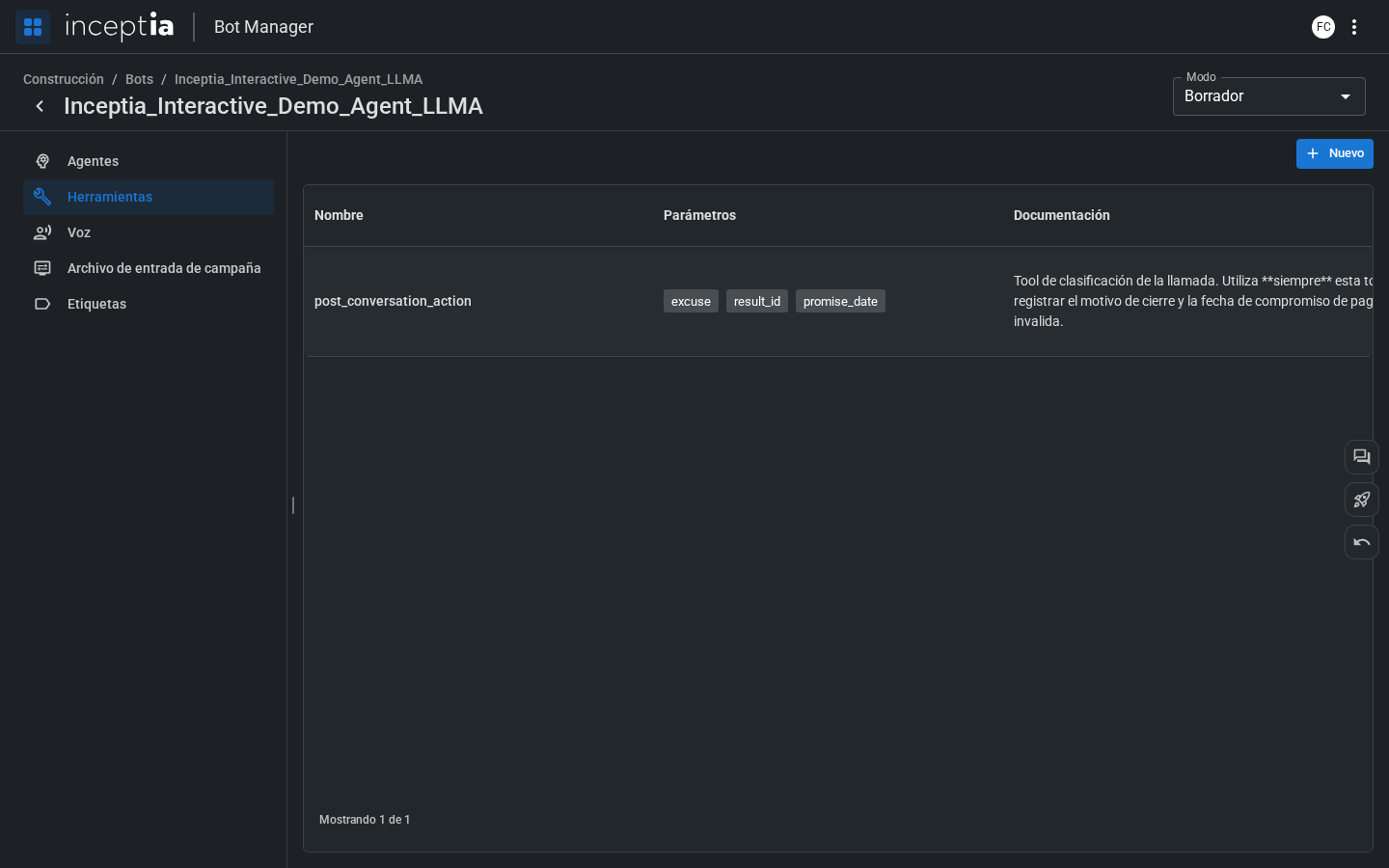 Each tool has three components:
| Field | Description |
| ----------------- | ----------------------------------------------------------------------------------------------------------------------- |
| **Name** | The tool's identifier — how the agent references it. |
| **Documentation** | Functional description: what it does, when to use it, what it returns. The LLM reads this to decide whether to call it. |
| **Parameters** | The data the tool needs to run, with their types and descriptions. |
***
## How tools work
When the agent decides to call a tool, the platform:
The LLM identifies the required values from the conversation's context and the campaign file's parameters.
The platform calls the external service (API, database, etc.) with the extracted parameters.
The result is added to the LLM's context so the agent can use it in its response.
The technical configuration of tools (endpoints, credentials, integration logic) is done by Inceptia. From the platform, you only manage which tools are available and how they're documented for the agent.
Each tool has three components:
| Field | Description |
| ----------------- | ----------------------------------------------------------------------------------------------------------------------- |
| **Name** | The tool's identifier — how the agent references it. |
| **Documentation** | Functional description: what it does, when to use it, what it returns. The LLM reads this to decide whether to call it. |
| **Parameters** | The data the tool needs to run, with their types and descriptions. |
***
## How tools work
When the agent decides to call a tool, the platform:
The LLM identifies the required values from the conversation's context and the campaign file's parameters.
The platform calls the external service (API, database, etc.) with the extracted parameters.
The result is added to the LLM's context so the agent can use it in its response.
The technical configuration of tools (endpoints, credentials, integration logic) is done by Inceptia. From the platform, you only manage which tools are available and how they're documented for the agent.