> ## Documentation Index
> Fetch the complete documentation index at: https://docs.inceptia.ai/llms.txt
> Use this file to discover all available pages before exploring further.
# Duplicate a bot
> Create a copy of your base bot to start customizing it safely
## Why duplicate
The bot assigned by Inceptia is your reference point. **Never work directly on it** — if something goes wrong, you need that original to roll back to.
Duplicating creates an exact copy of the bot with its entire configuration: agents, instructions, tools, voice, and logic. The only difference is the name.
***
## How to duplicate a bot
Navigate to **Construction → Bots** in Bot Manager's side menu.
Look for the bot Inceptia assigned you in the list, or use the search bar to filter it by name.
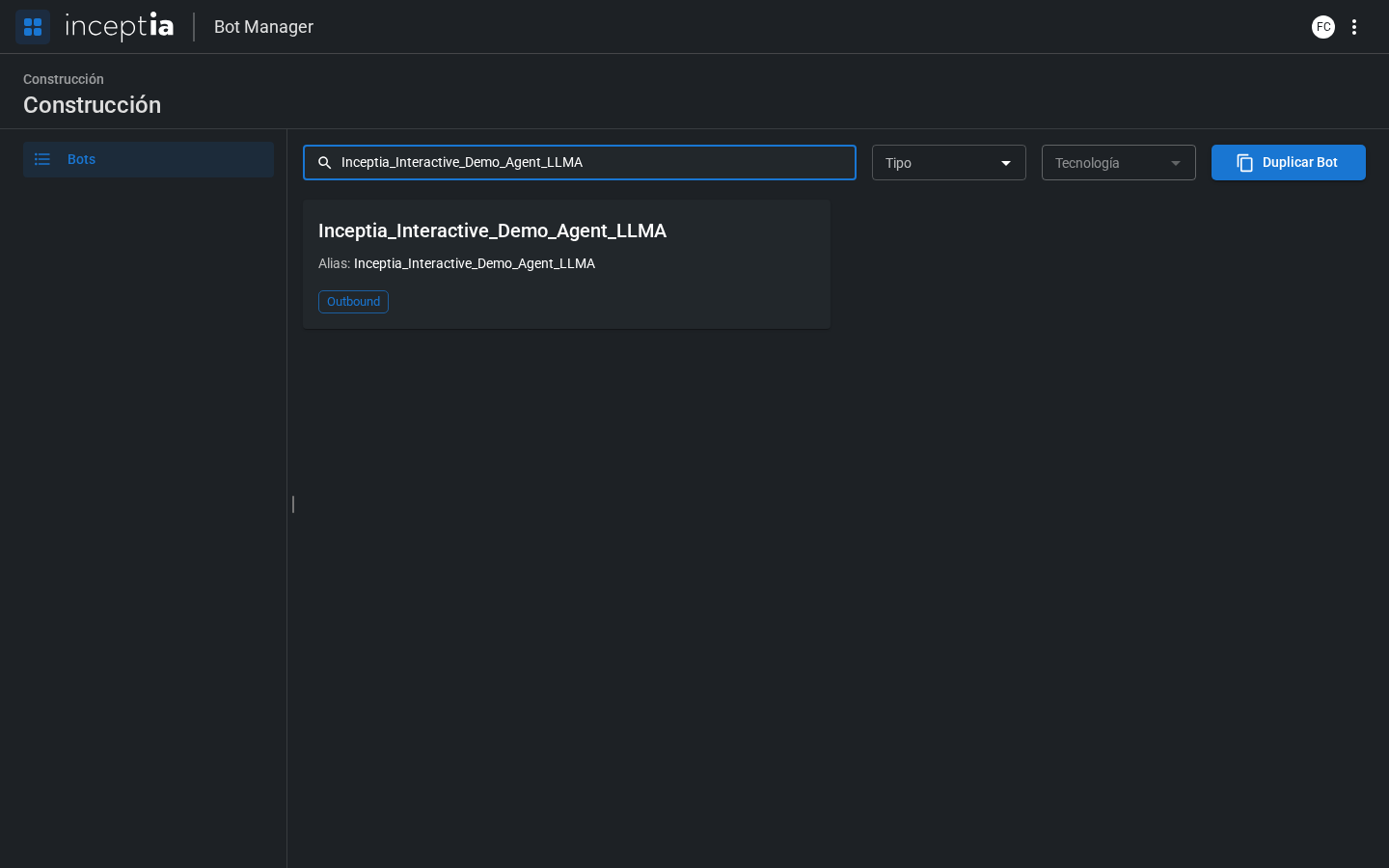 At the top right of the list you'll see the **Duplicate Bot** button. Clicking it opens a dialog where you choose your bot as the **Source bot**.
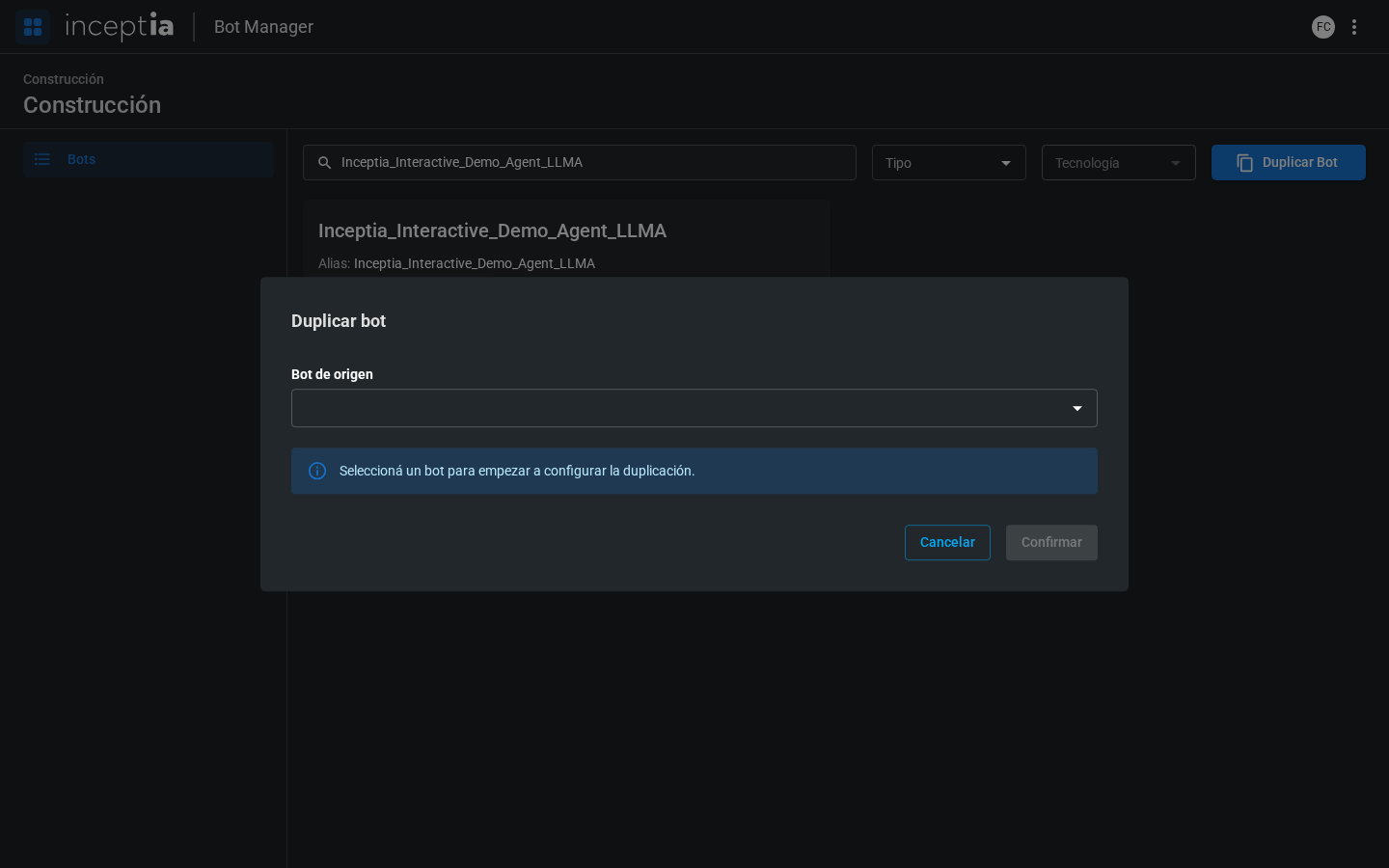 Give the copy a descriptive name. The platform has a naming helper that will guide you to follow the expected convention.
The duplicated bot appears in the list and you can now open it to start editing.
***
## What gets copied and what doesn't
| Copied | Not copied |
| ---------------------------------- | ---------------------- |
| All agents and their configuration | Conversation history |
| Instructions and identity | Metrics and statistics |
| Assigned tools | Production data |
| Voice configuration | |
| Campaign input file | |
| Labels | |
***
## Next step
Once you have your copy, you'll always work in **Draft Mode** until you're ready to publish.
Understand the difference between draft and production before making changes.
Give the copy a descriptive name. The platform has a naming helper that will guide you to follow the expected convention.
The duplicated bot appears in the list and you can now open it to start editing.
***
## What gets copied and what doesn't
| Copied | Not copied |
| ---------------------------------- | ---------------------- |
| All agents and their configuration | Conversation history |
| Instructions and identity | Metrics and statistics |
| Assigned tools | Production data |
| Voice configuration | |
| Campaign input file | |
| Labels | |
***
## Next step
Once you have your copy, you'll always work in **Draft Mode** until you're ready to publish.
Understand the difference between draft and production before making changes.