

What agent handoff is
When a bot has multiple agents, it needs to know when to move from one to another. The Agent Handoff tab is where you configure those handoff rules — if you’re not yet sure when it’s worth splitting your bot into several agents, see Design principles. Each rule has two parts:- Reason for the handoff — a natural-language description of when the handoff should happen. The LLM uses this text to decide, during the conversation, whether to trigger it.
- Destination — which agent it transfers to. It can be a fixed destination, or it can depend on one or more conditions on context variables (see below).
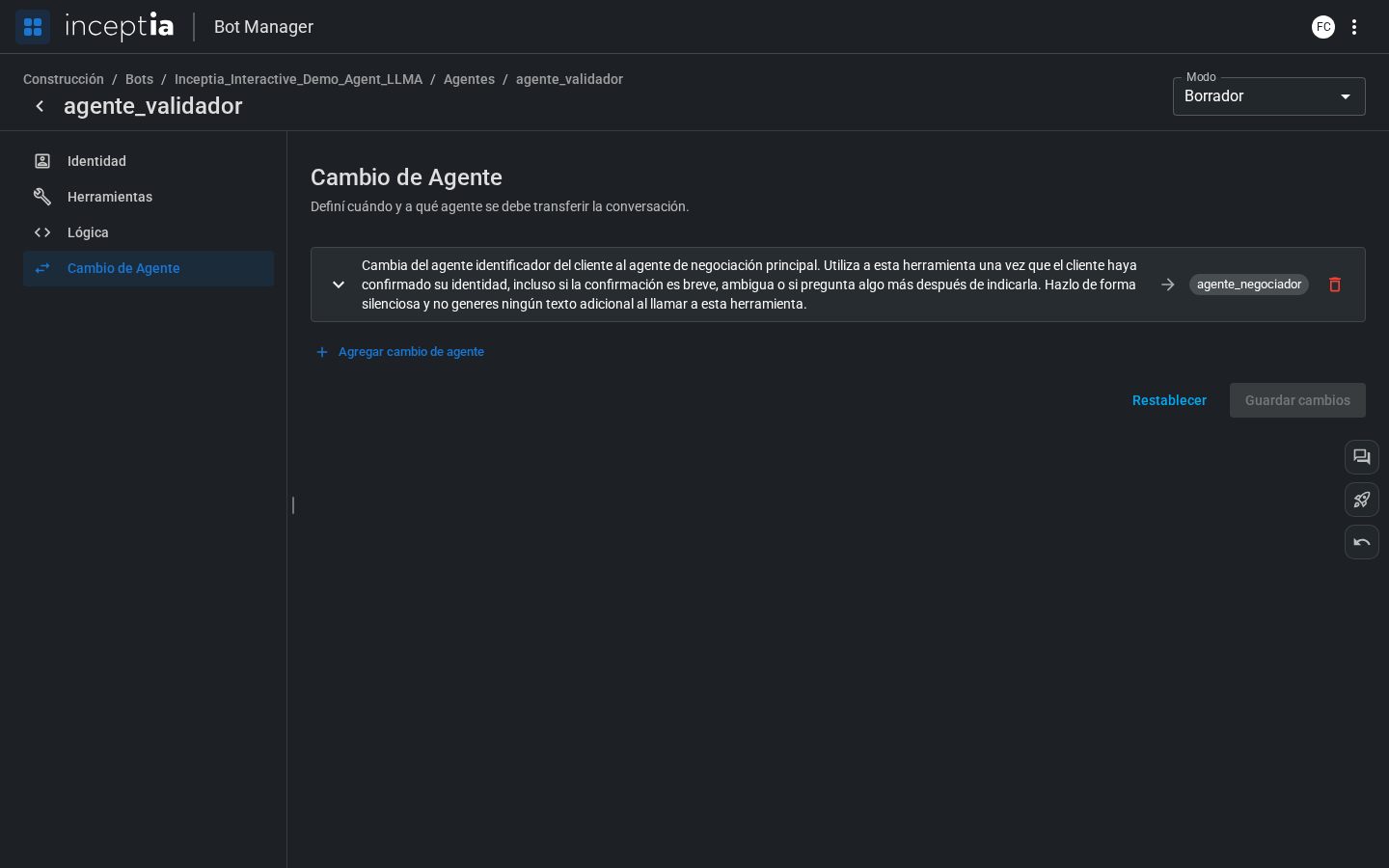
How to add a rule
1
Open the Agent Handoff tab
Inside the agent editor, click the Agent Handoff tab.
2
Click Add agent handoff
A new rule is added, expanded and empty.
3
Write the Reason for the handoff
Describe in natural language when the handoff should happen. Be specific — the LLM uses this text to make the decision. For example: “when the customer confirms their minimum payment.”
4
Choose the destination
If the handoff always goes to the same agent, select it directly under Transfer to. If the destination depends on a variable, add one or more conditions (next section).
Connecting agents by dragging on the Canvas
You can also start a handoff rule without opening this tab: directly from the canvas, by hovering over the right edge of a node.1
Hover over the right edge of the source agent
A blue connection arrow appears.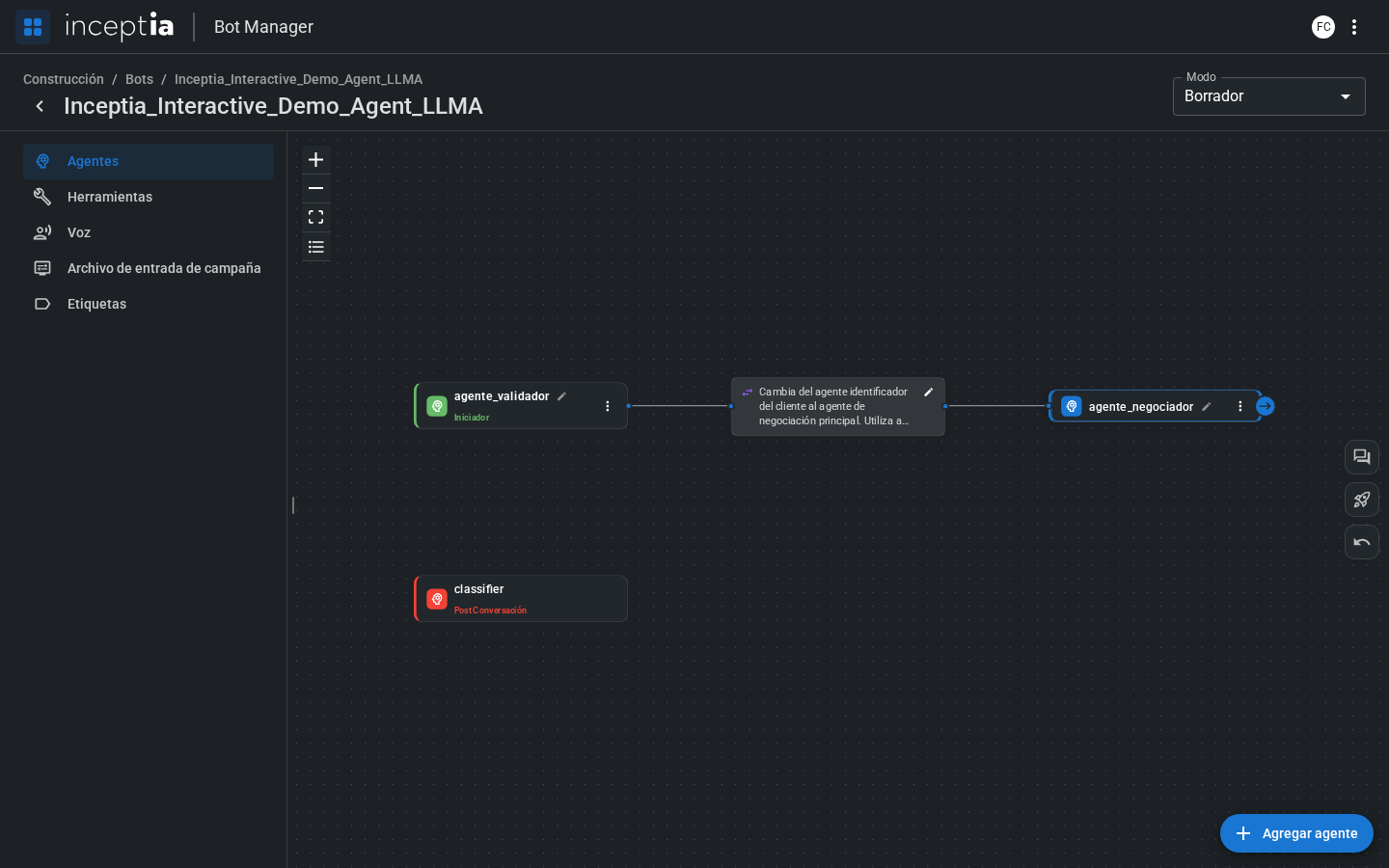
2
Drag the arrow to the destination agent
While you drag, a dashed line is drawn between the two agents.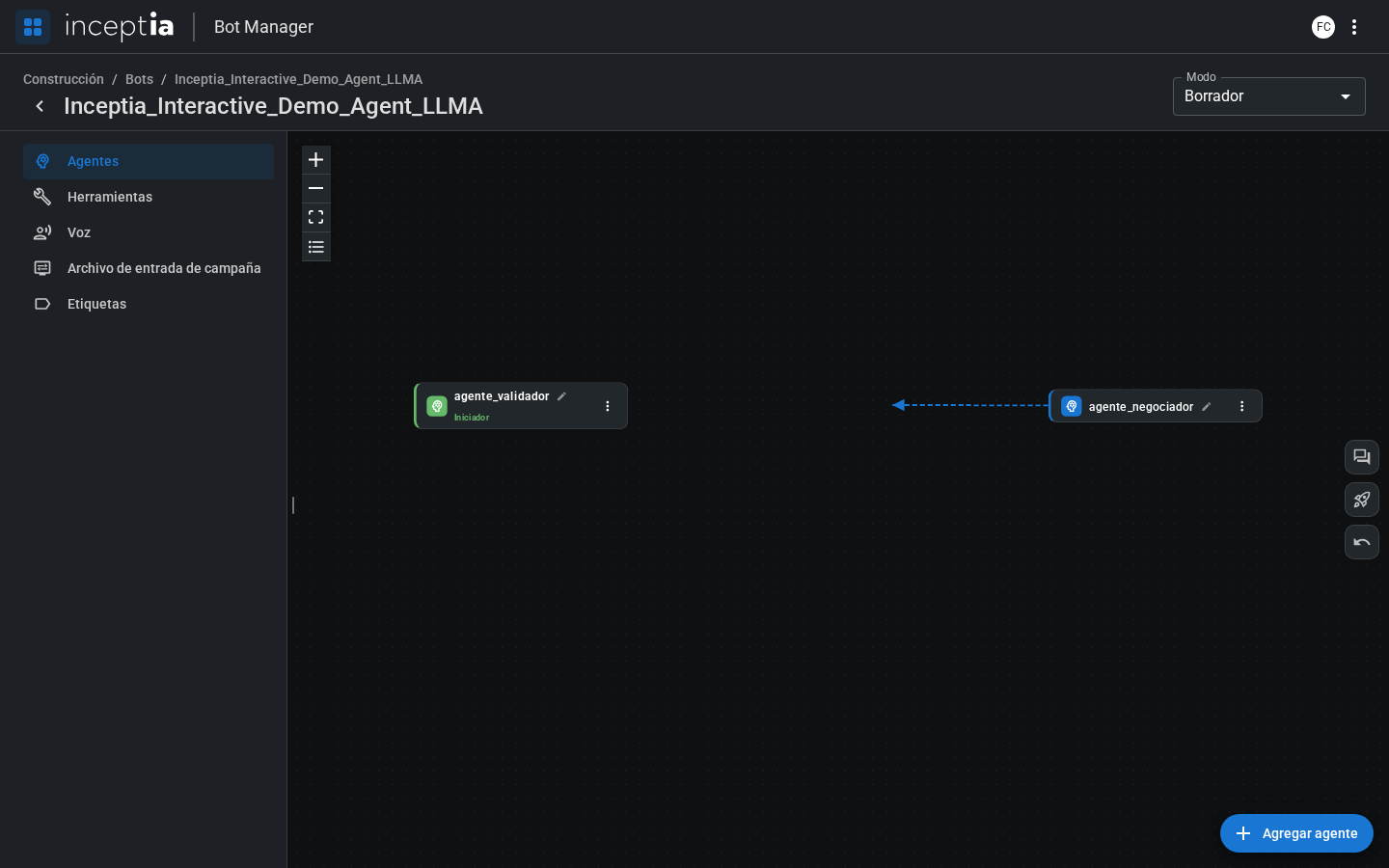
3
Drop it on the destination agent
The Create handoff panel opens — the same form you saw above (Reason for the handoff, optional conditions, Transfer to), just already preloaded with the destination.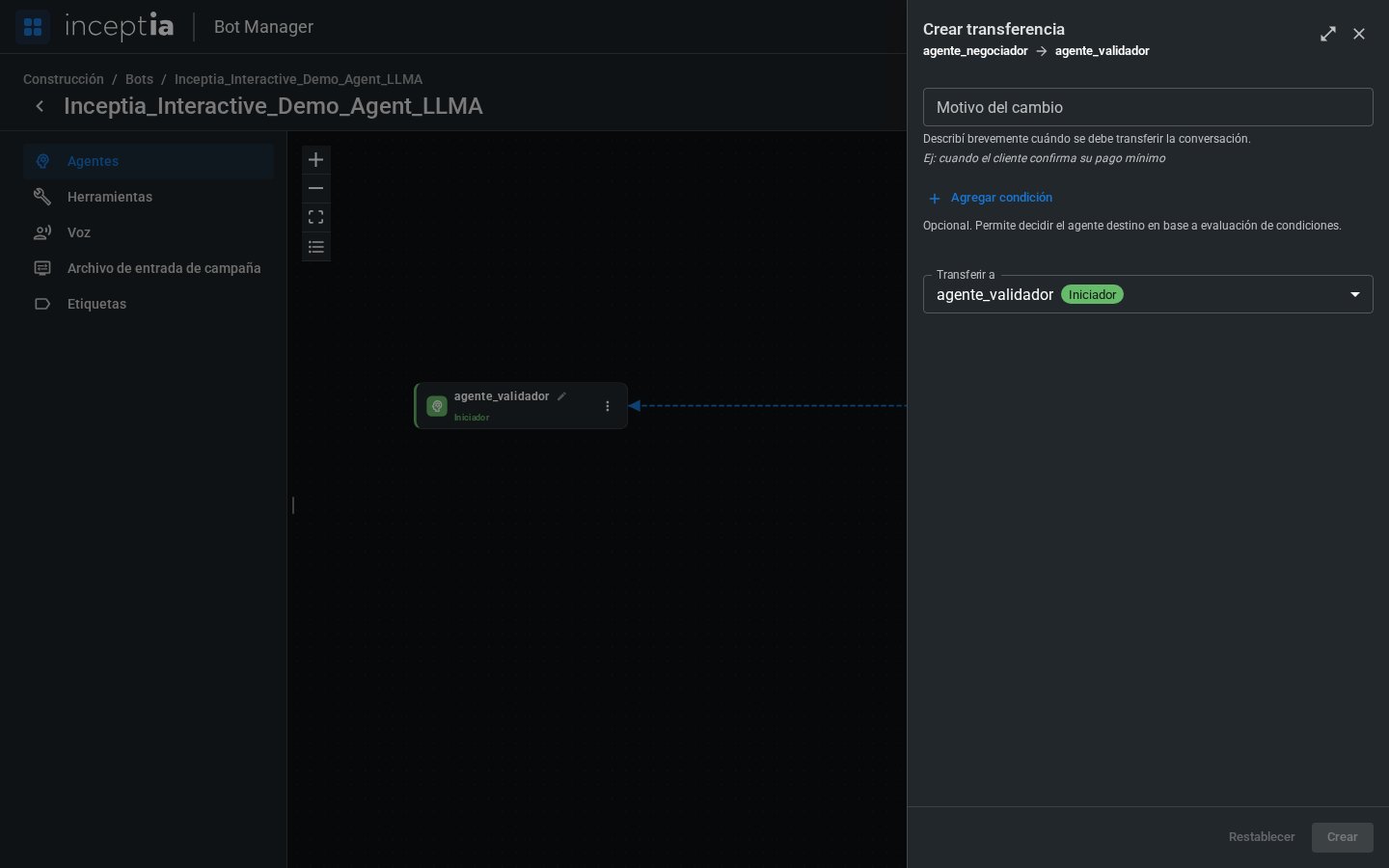
4
Fill in the Reason for the handoff and create the rule
Same as if you’d built it from the Agent Handoff tab.
It’s the same rule, two ways to create it: from the source agent’s Agent Handoff tab, or by dragging on the canvas. Use whichever feels more convenient depending on whether you’re already looking at the full flow or editing a specific agent.
Examples of Reason for the handoff
Conditions based on context variables
Besides the Reason for the handoff, each rule can have one or more conditions that directly compare a context variable against a value — no need to describe it in natural language or write code:- Variable — the variable’s name (one from the campaign file, or one you calculated in the Logic tab).
- Operator — the comparison to apply (
=,>,<, among others). - Value — the value it’s compared against.
pago_minimo (a numeric variable coming from the campaign file):