

Phone configuration
Before adding columns, configure the two global selectors. They define how the area code and phone type are interpreted for all the columns you add.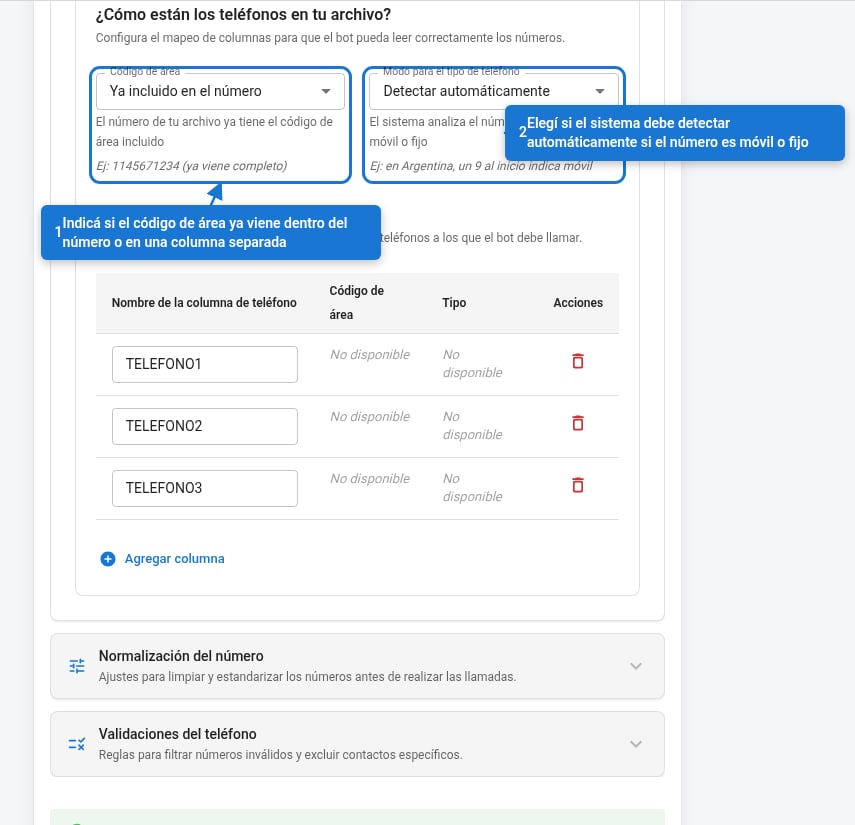
Area code
Defines whether the area code is already included in the number or comes in a separate column in the file.Phone type mode
Classifies numbers as mobile or landline. In Argentina, mobile phones require the system to insert a9 between the country code and the area code.
When you choose “Set a fixed type”, a selector appears in each row of the table:
When you choose “In a separate column”, the Value that identifies mobile field appears: enter the exact text your file uses for mobile phones (e.g.
CEL, móvil, M). Any other value is treated as landline.
The Type field that appears in each table row has to match exactly the name of the column in your file that indicates whether the number is mobile or landline (e.g.
tipo_tel, modalidad). The same name is used for all rows.Columns with phone numbers
Add one row for each column in your file that contains phone numbers. The bot processes them in the order of the table.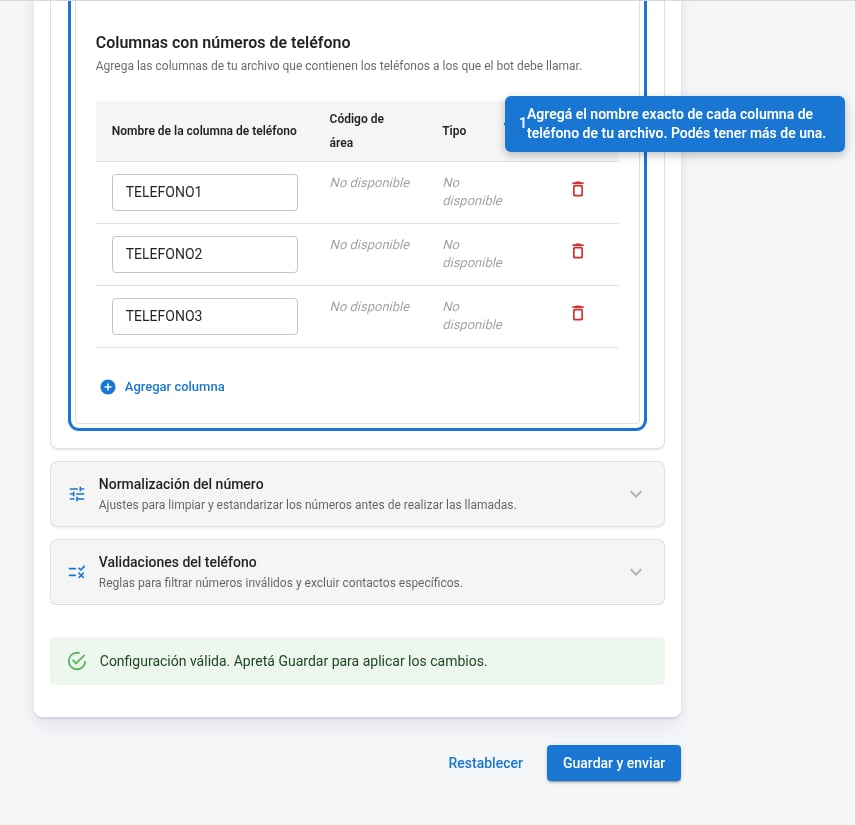
The Phone column name field has to match exactly your file’s header. If your file has 5 phone columns (e.g. Tel_1, Tel_2… Tel_5), add 5 rows.
Number normalization
The three rules clean up the number before dialing it. They apply in order: each one acts on the result of the previous one.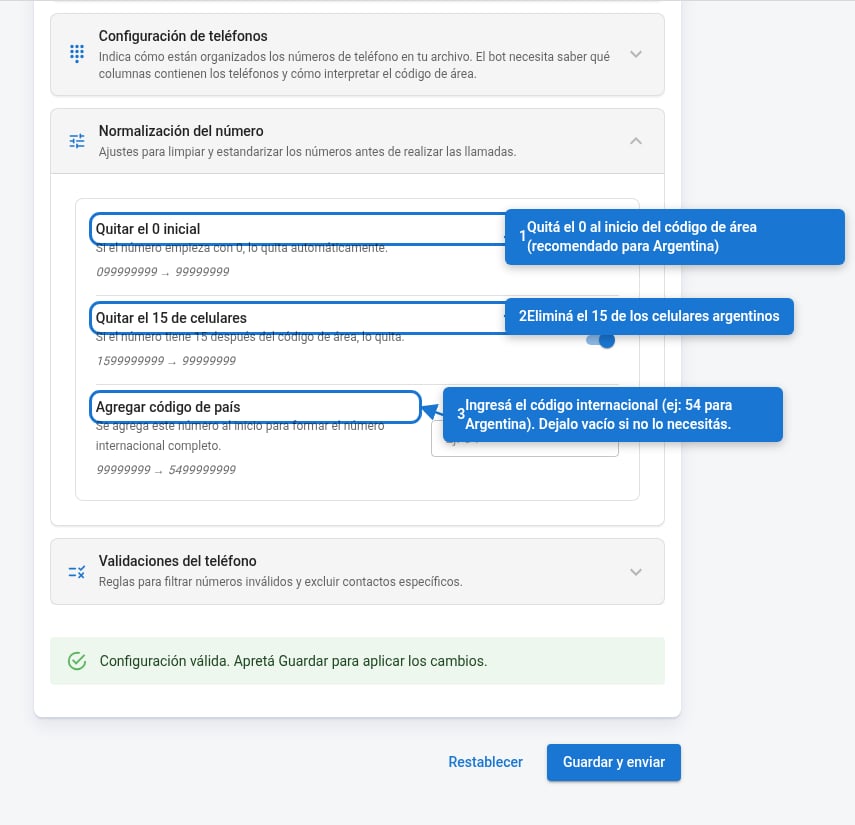
For Argentina, enable all three rules and set
54 as the country code. For bots outside Argentina: disable “Remove the 0” and “Remove the 15,” and use the corresponding code (e.g. 55 for Brazil).Phone validations
Rules to filter out invalid or unwanted numbers before sending them to the bot.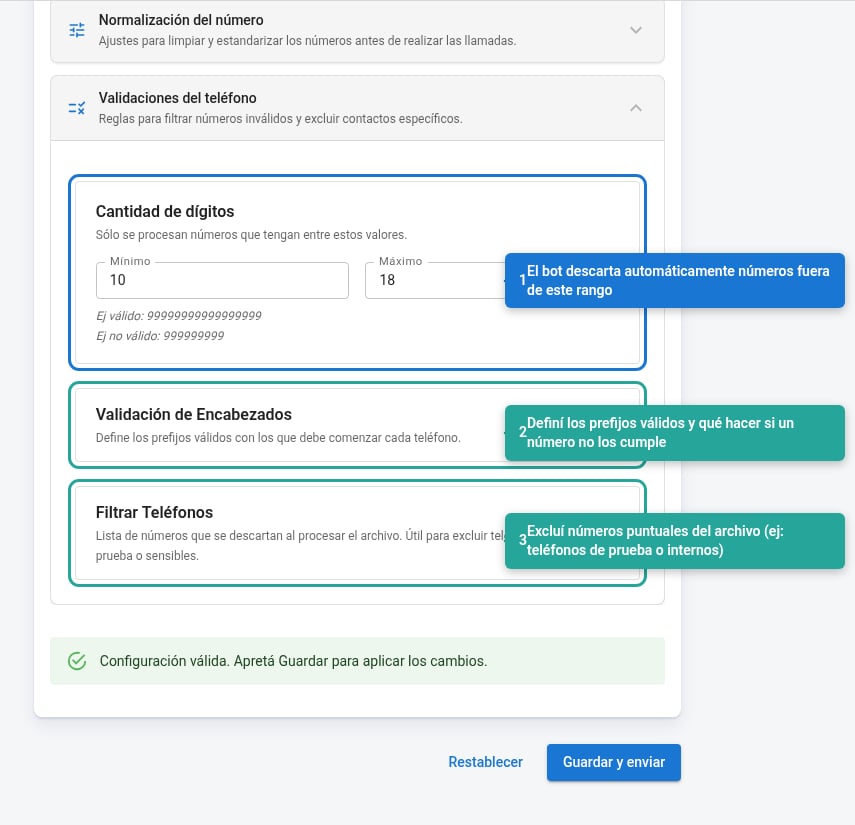
Digit count
Defines the valid length range for the number once built (with normalization already applied). Numbers outside the range are silently discarded.Argentina: a complete mobile number with country code has between 12 and 13 digits (e.g.
5491112345678). Landlines have between 10 and 11.