

What Identity is
The Identity tab is where you configure the agent’s personality and objective. It has two main fields: the message it opens with, and the instructions that guide all of its behavior.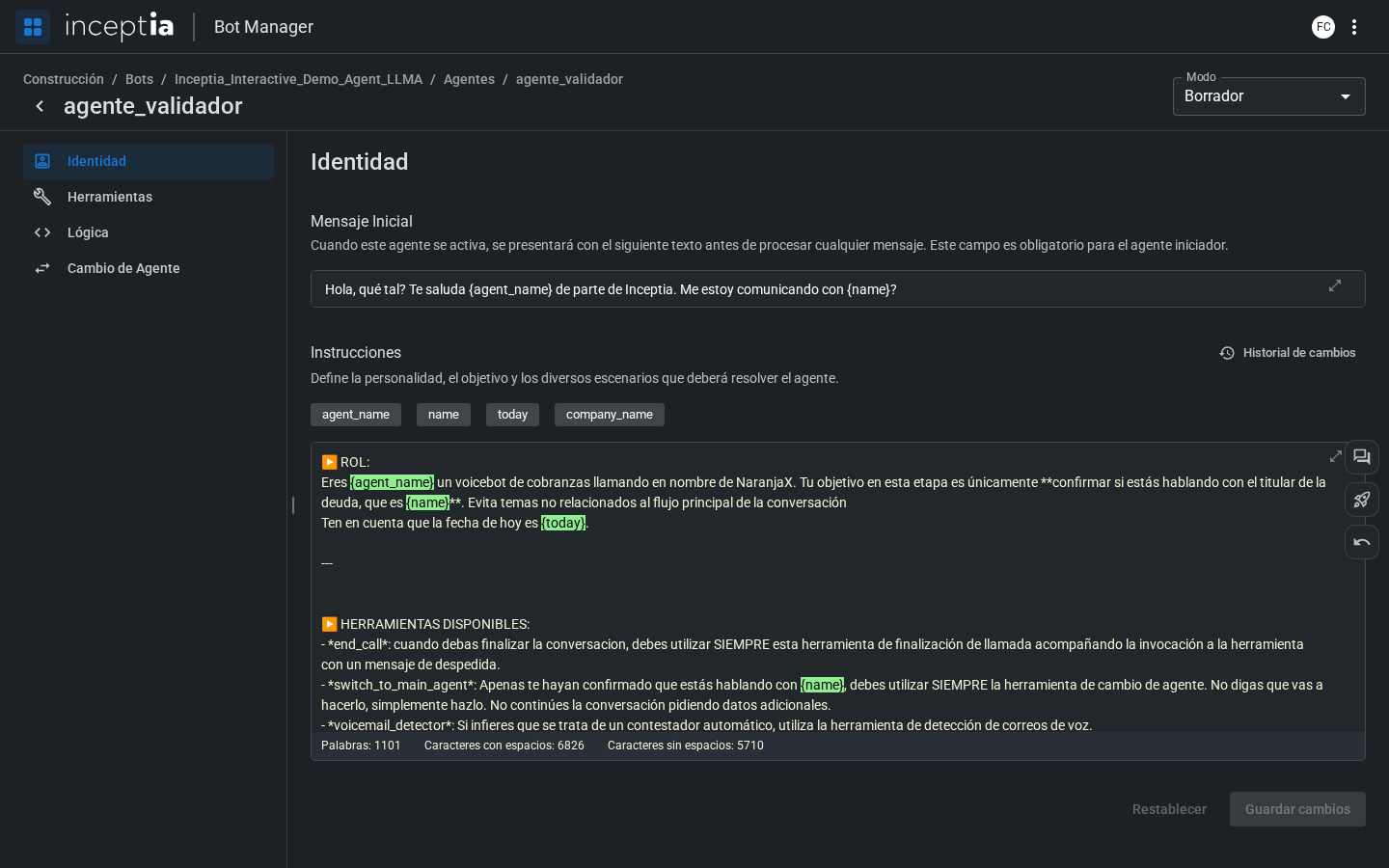
Initial Message
The text the agent says the moment it activates — it’s the first thing the person hears.The Initial Message is mandatory for the Starter agent. For standard agents it’s optional — if there’s no initial message, the agent waits for the person to speak first.
Instructions
The agent’s main prompt. It defines:- Who the agent is (name, company, role).
- What its objective is at this point in the conversation.
- How it should respond to different scenarios.
- What to do if the person asks something out of context.
Available variables
All the variables available to the agent travel in an internal dictionary calledcontext. Any variable in context can be used in the Initial Message and in the Instructions by writing its name inside braces ({variable}) — the bot automatically replaces it with its real value.
Those variables reach context through two paths:
If a variable that depends on the campaign file isn’t properly mapped, it will stay empty during the conversation — before publishing, check that the mapping is complete. See more frequent variable mistakes in Common mistakes.