

Tools at the bot level
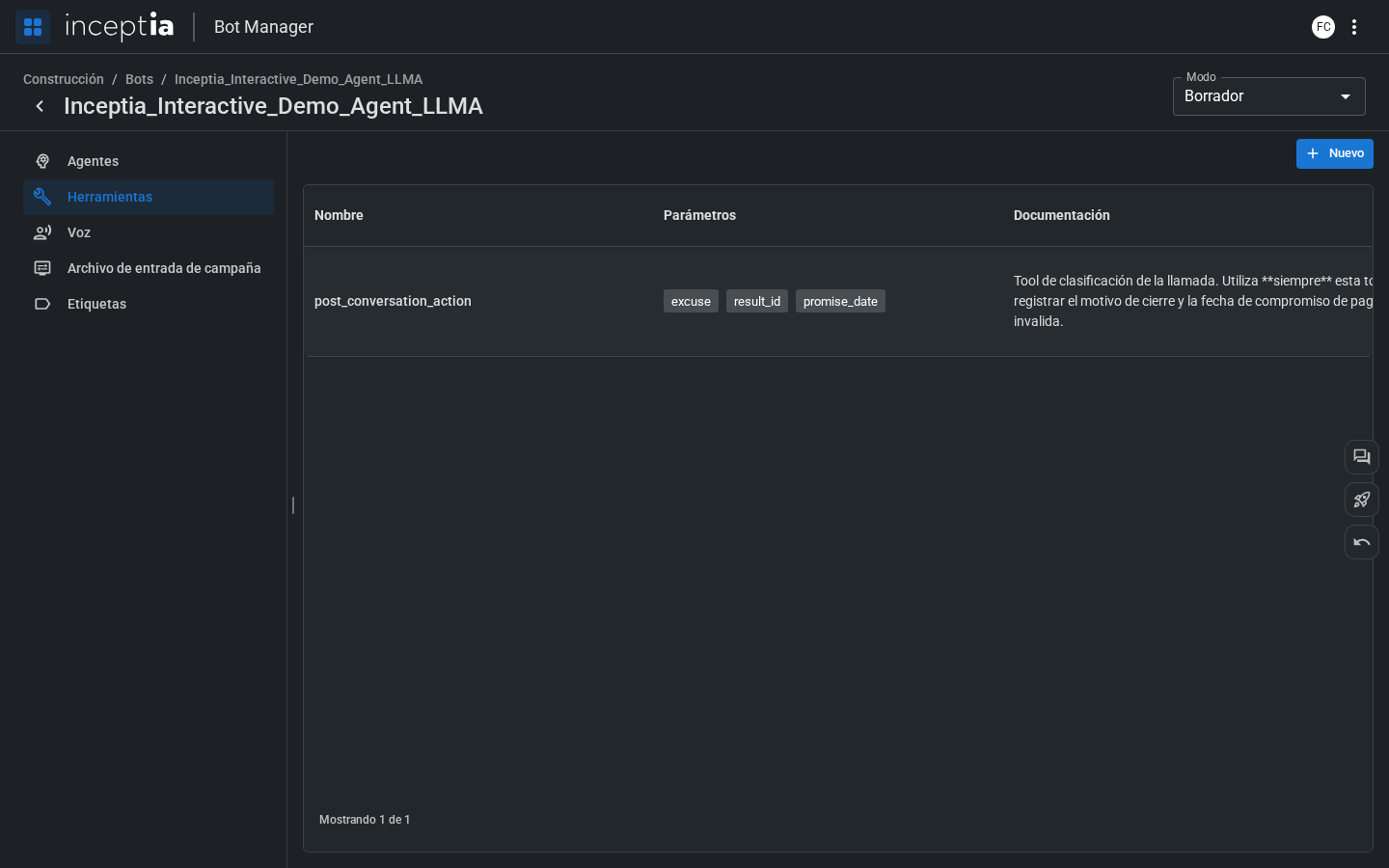
The bot’s Tools section (not the agent’s) is the central repository of custom tools available for that bot. It’s different from the Tools tab inside each agent — this is where tools are defined, and agents assign them from there.This view shows only the custom tools created for your bot — integrations with external systems, API calls, etc. The platform’s general functions (End Conversation, Transfer to Human Agent, Detect Voicemail, etc.) don’t appear here: those are turned on per agent, from the Tools tab of each agent.
How tools work
When the agent decides to call a tool, the platform:1
Extracts the parameters
The LLM identifies the required values from the conversation’s context and the campaign file’s parameters.
2
Runs the tool
The platform calls the external service (API, database, etc.) with the extracted parameters.
3
Returns the result to the agent
The result is added to the LLM’s context so the agent can use it in its response.
How to create a tool
You can create a new tool from the New button in this view, or from an agent’s Tools tab (see Agent tools) — the form is the same in both cases.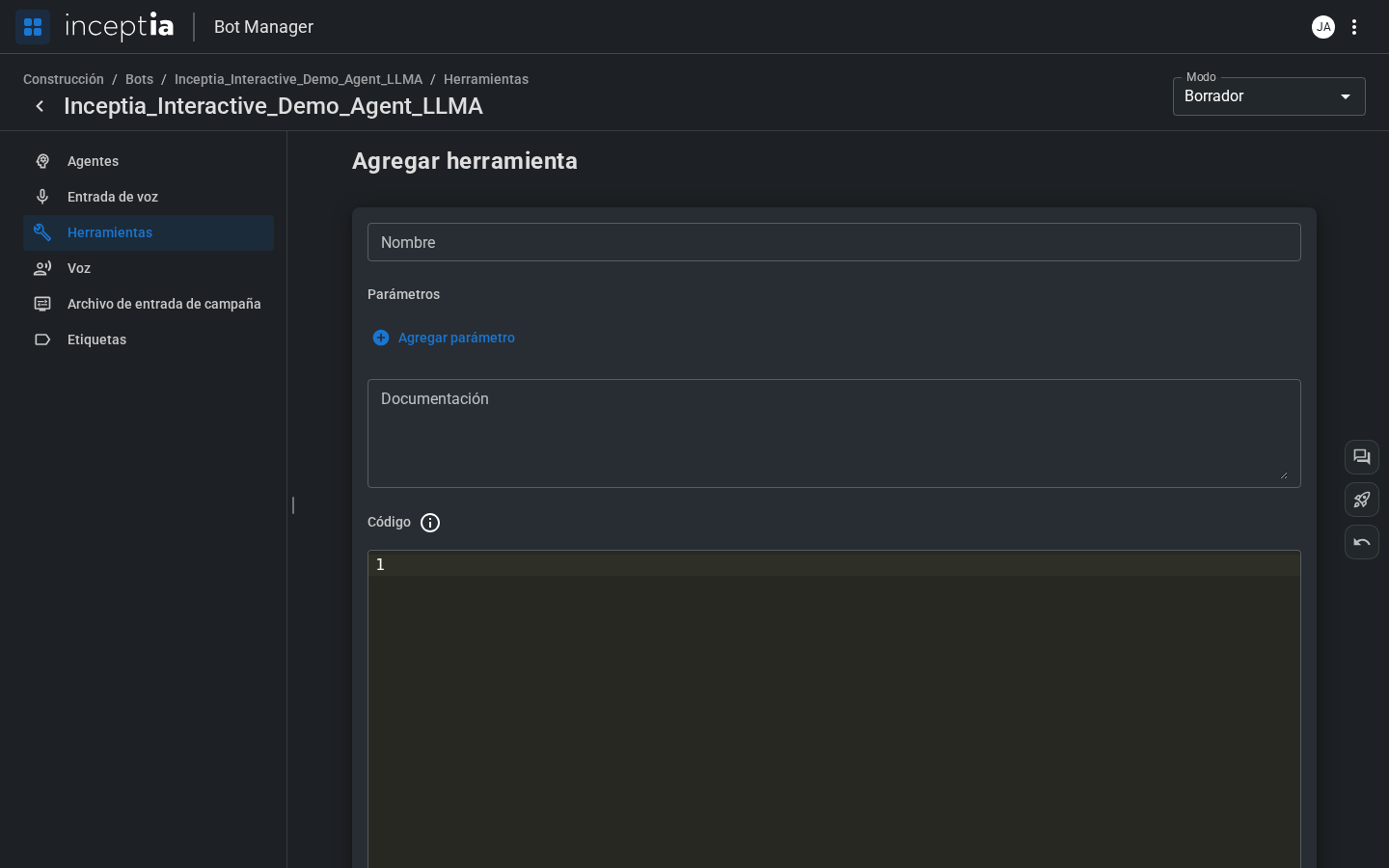
1
Name
The identifier the agent will use to reference the tool.
2
Parameters
With Add parameter you define each piece of data the tool needs: its name, its data type (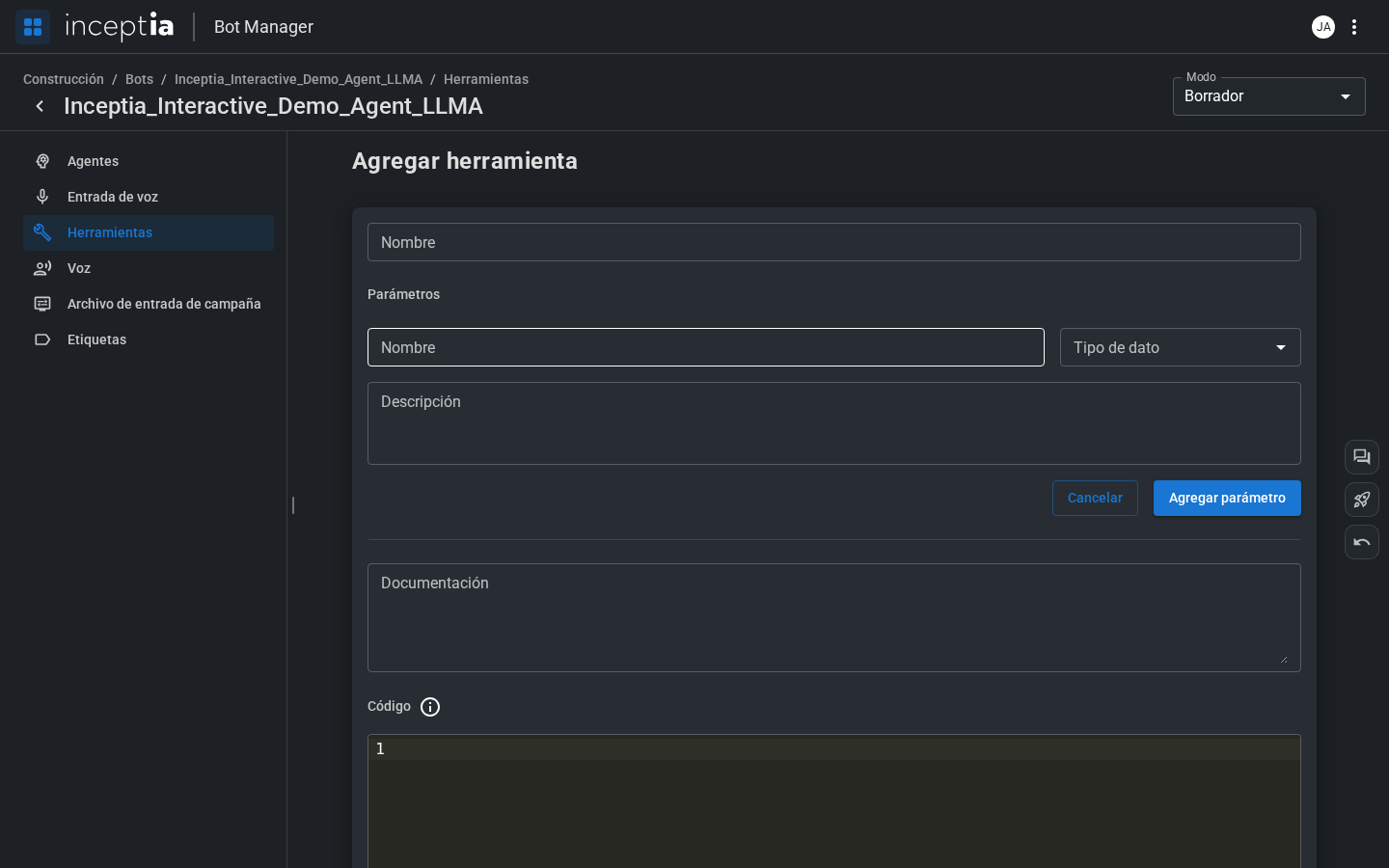
str, int, float, bool, dict, lists of those types, or an optional version with a default value), and a description.3
Documentation
The tool’s docstring: what it does, when to use it, and what it returns. This is what the LLM reads to decide whether to call it — the clearer and more specific, the better.
4
Code
The function body, in Python — it doesn’t include the
def line, the platform adds that automatically. It needs a return (a value, None, or empty) and can read and modify the conversation’s context dictionary, just like in the agent’s Logic tab.5
Return data type
The data type the tool returns (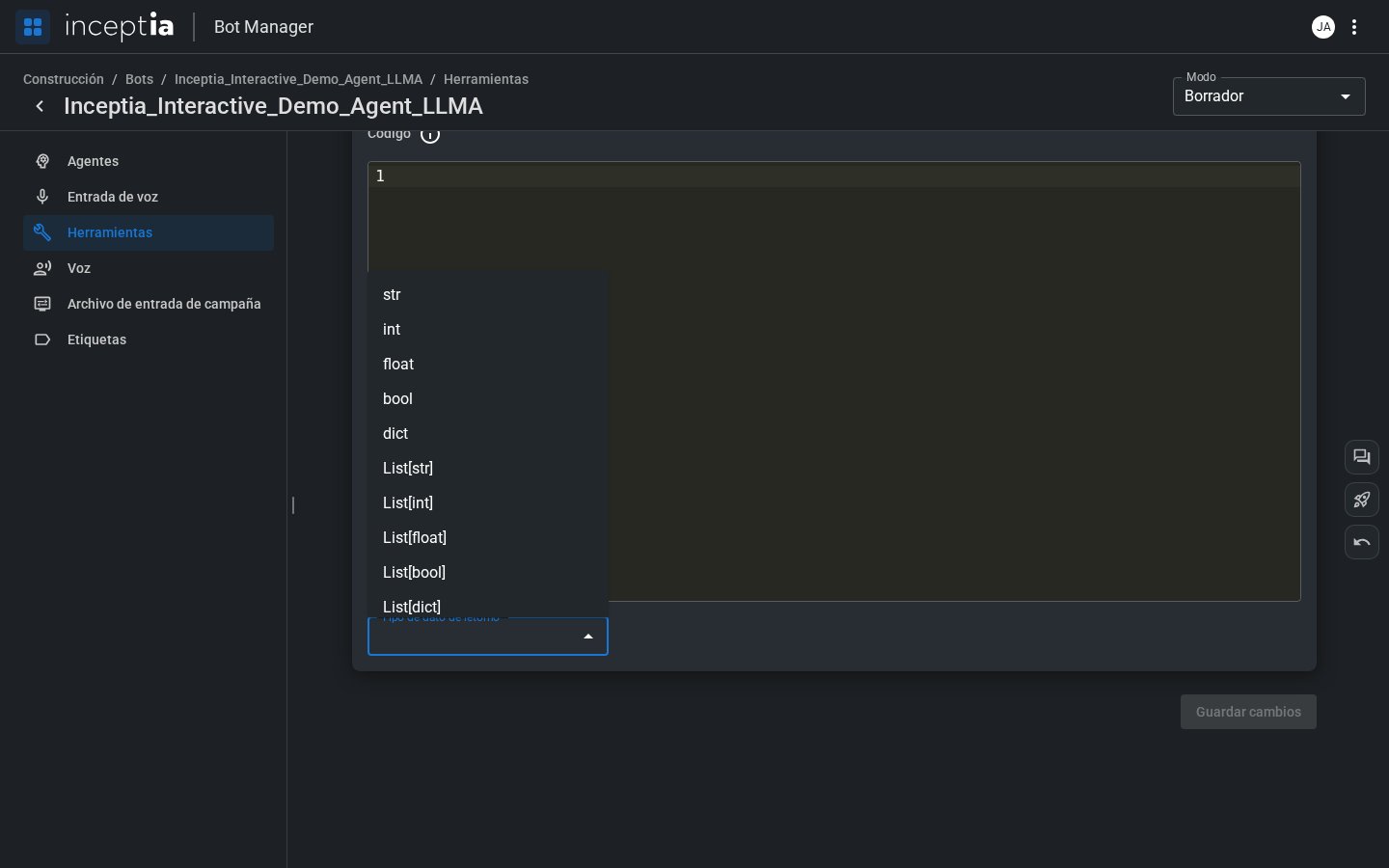
str, int, float, bool, dict, lists of those types, or Other to specify a custom type).