

What the canvas is
When you open a bot and go to the Agents tab, you’ll find a visual canvas where each node represents an agent — a conversation unit with its own identity, instructions, and tools. Agents connect to each other to form the call’s complete flow: the bot can move from one agent to another based on what the person says, which conditions are met, or which actions run.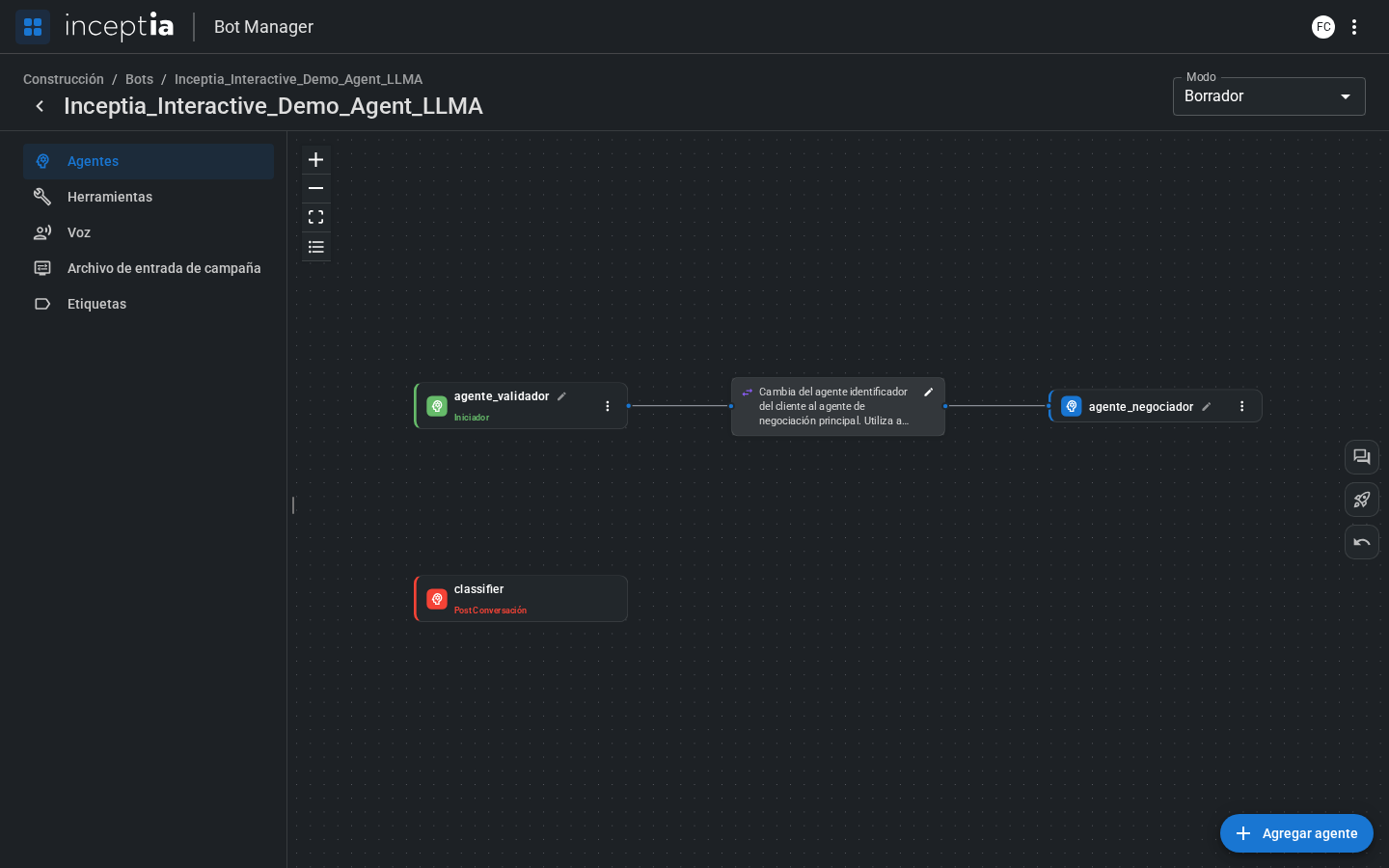
Agent types
Agents are distinguished by their color on the canvas, which indicates their role in the flow:The Post-Conversation agent is an agent like any other — it has Identity, Tools, and Logic —, it just triggers automatically when the call ends, and can’t be disabled. Besides assigning the label, its tool supports additional parameters (for example, a conversation summary or other custom variables) that, with the help of Python code, become available to users in the platform’s operational call view.
Connecting agents
Connections between agents define when and where the conversation can “jump.” Each connection is configured from the Agent Handoff tab within the source agent. You can also start a connection directly by dragging on the canvas, without going into the agent’s tab. See Connecting agents by dragging on the Canvas.Show the agents panel
With bots that have many agents, the canvas can get hard to scan at a glance. The ☰ icon in the canvas controls group (next to Zoom In, Zoom Out, and Fit View) opens a panel with the bot’s full agent list, their type, and a search box to find one by name.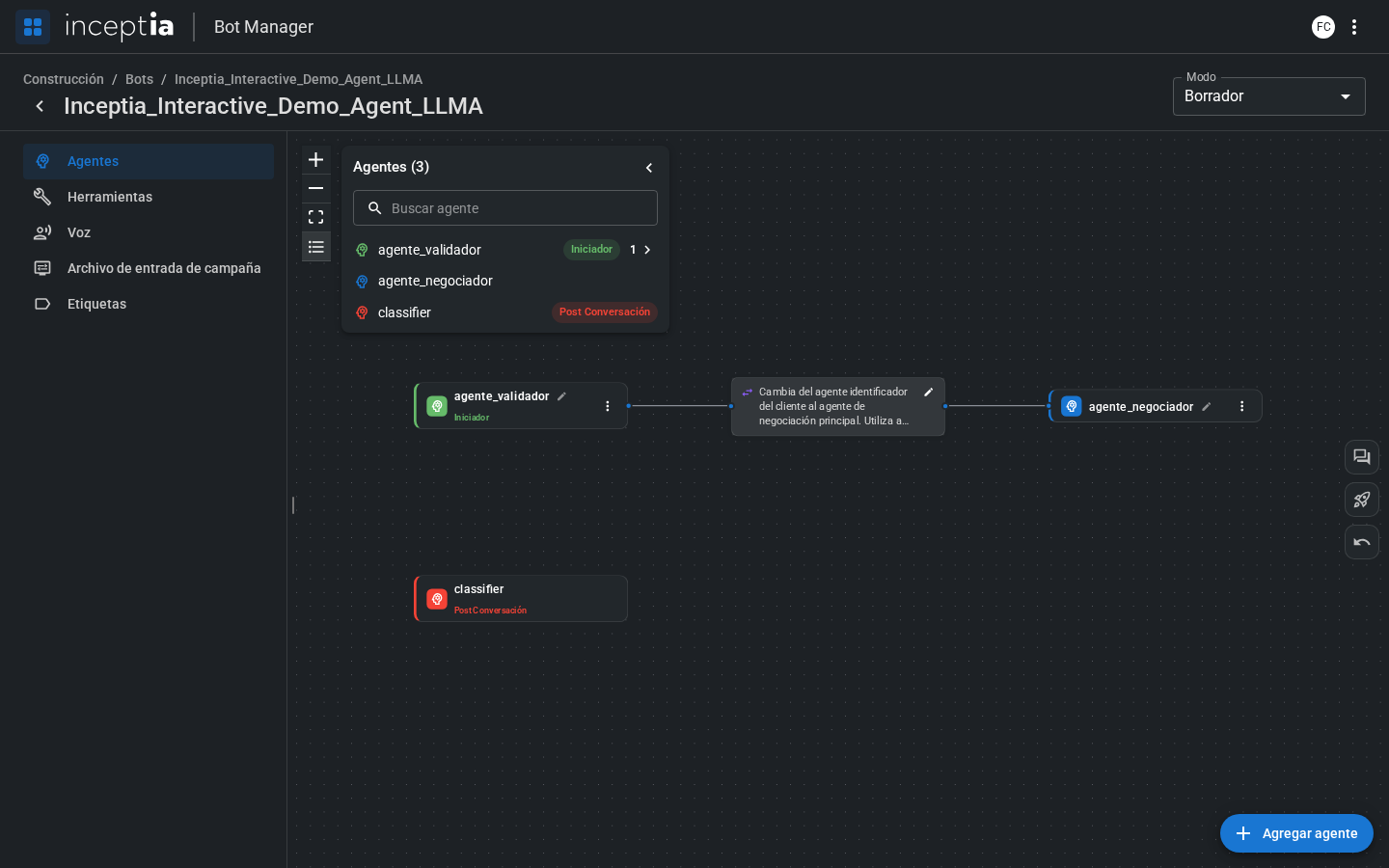
Exploring an agent
Click any node on the canvas to open the agent editor. Inside you’ll find four tabs:Identity
The agent’s initial message and instructions.
Tools
Functions the agent can execute.
Logic
Python code to prepare the context.
Agent Handoff
Handoff rules to other agents.