

General parameters
Case configuration: grouping, name, code, and product parameters.Case ID
The file’s column that uniquely identifies each contact in the campaign.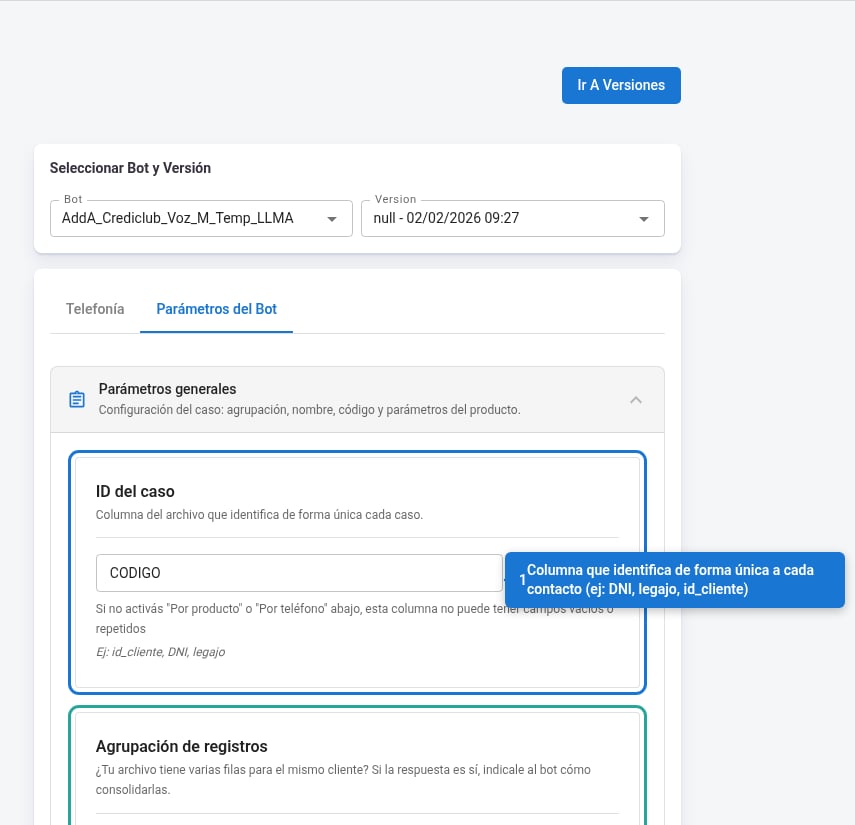
- Type the exact column name as it appears in your file (e.g.
DNI,legajo,id_cliente). - This column can’t have empty or repeated values, except when one of the grouping options described below is enabled.
- With the Actions button you can apply transformations to this column’s values before processing them.
Record grouping
Enable this if your file has several rows for the same contact and you need to consolidate them into a single case.
You can enable both options at the same time.
First and last name handling
Configure which columns in your file contain the contact’s first and last name and how they’re organized.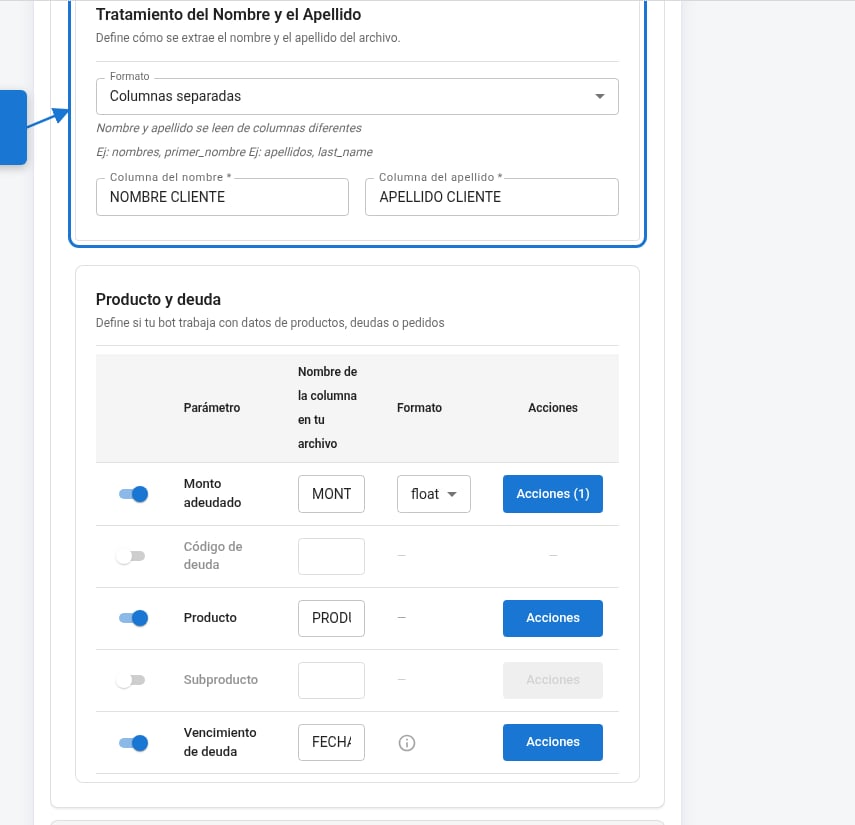
Once you’ve chosen the format, fill in First name column and Last name column with the exact names of the columns in your file.
Product and debt
Map the debt and product parameters to the corresponding columns in your file. Only enable the ones your campaign uses.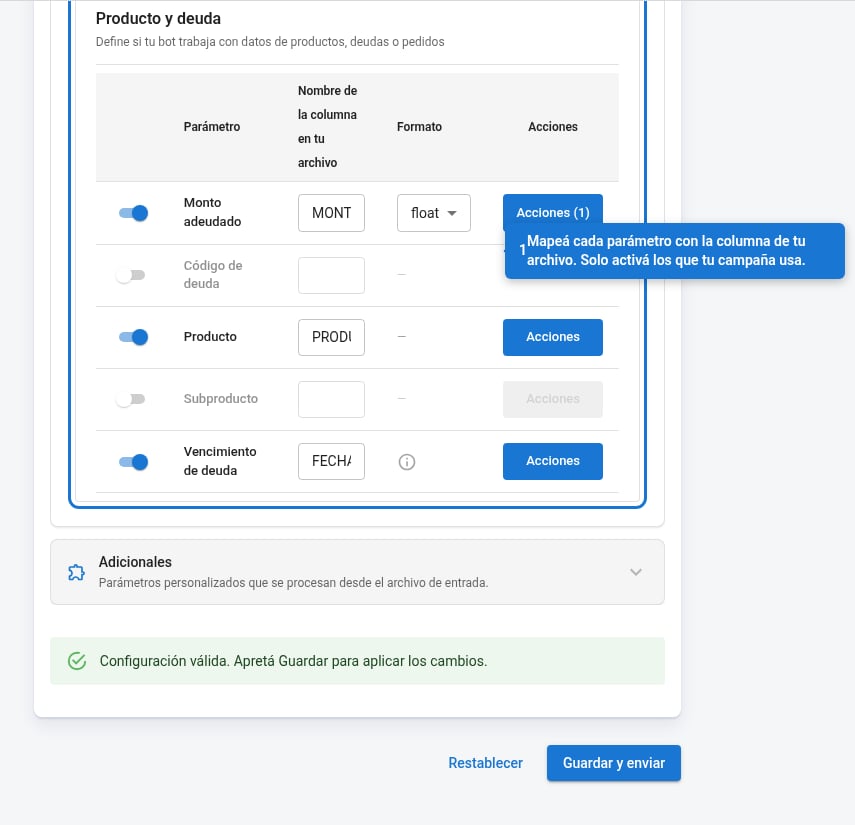
With the Actions button on each parameter you can apply additional transformations or filters to the values before sending them to the bot.
Additional fields
Extra fields from the file that the bot can receive as custom parameters. Optional.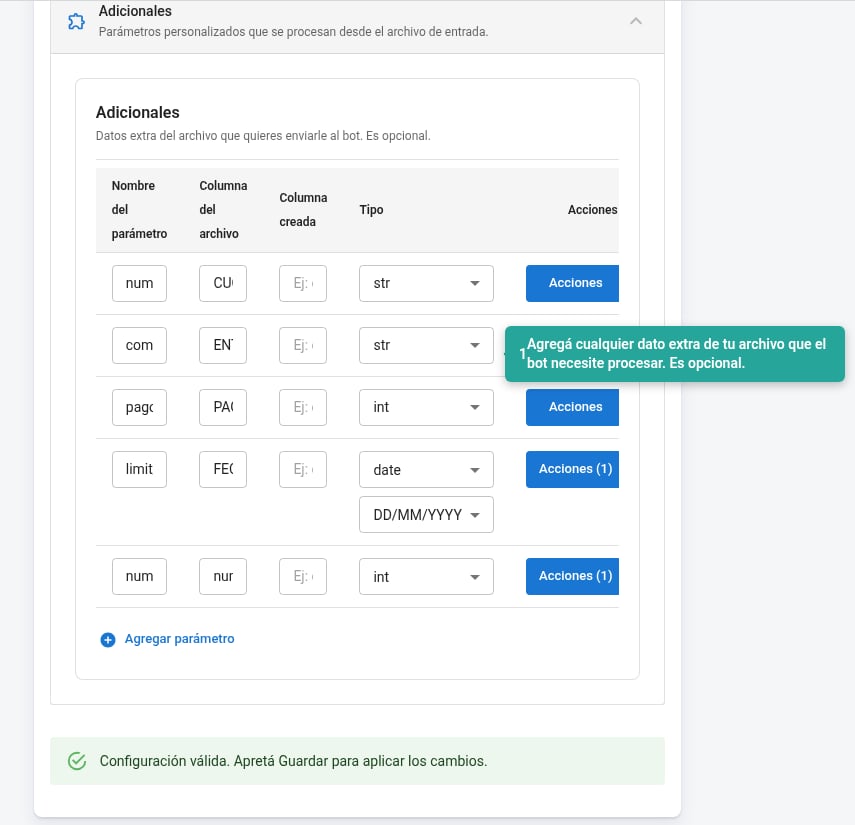
With Actions you can apply transformations to the value of each additional field.
Use + Add parameter to add new fields.